Cloud Gaming 2026: 10 Anbieter, Preise & Dienste im Vergleich
30 Minutes Lesezeit
As of Sep 20, 2026. Cloud gaming is long past being just a technical experiment. A budget laptop, a smartphone, a handheld or a smart TV can now be enough to stream games that would otherwise need a much more powerful gaming PC or a current console. A server in a data center does the processing, while picture and sound are sent to your device and your inputs are sent back.
What to expect here
The key question in 2026 is therefore no longer just whether cloud gaming works. What matters more is which business model suits your gaming habits. GeForce NOW and Boosteroid mainly stream games you already own on Steam, Epic, Xbox or other stores. Xbox Cloud Gaming, Amazon Luna, PlayStation Plus Premium, Blacknut and Antstream Arcade, on the other hand, mainly sell access to a game catalog. Shadow PC, CloudDeck and airGPU go one step further and rent a complete cloud PC, on which you install your own launchers, games and, in some cases, mods.
These differences matter more than a simple ranking. If you own a large Steam library, you need something different than someone who wants to try as many games as possible for a fixed monthly fee. And if you need mods, a full desktop or titles outside approved streaming catalogues, you quickly end up with a cloud PC.
Important for 2026: Playtime has become a real plan factor again. GeForce NOW limits Performance and Ultimate to 100 premium hours per month. Shadow works with 120 or 210 hours, depending on the plan. From November 2026, Xbox will only include 5, 10 or 15 cloud hours per month, depending on the plan. Boosteroid and CloudDeck, on the other hand, continue to use a model without a monthly hour limit.
Cloud Gaming 2026: The 10 Best Services Compared
| Service | Model | Price / entry | Games | Streaming | Time model |
|---|---|---|---|---|---|
| GeForce NOW | Your own PC games | Free, Performance, Ultimate | 4,500+ directly supported titles plus Install-to-Play | Ultimate up to 5K/120 FPS, up to 360 FPS depending on mode | Performance/Ultimate: 100 hrs/month, up to 15 hrs carry-over |
| Boosteroid | Your own PC games | Ultra €16.89/month or €89.89/year | 1,700+ supported games | up to 4K/120 FPS | no monthly hour limit |
| Xbox Cloud Gaming | Catalogue + selected own games | Game Pass Essential €8.99, Premium €12.99, Ultimate €20.99 | 50+, 200+ or 400+ catalogue games, depending on plan | Ultimate up to 1440p | Until Nov, no monthly limit; from Nov 5/10/15 included hours |
| Amazon Luna | Subscription catalogue | Luna Standard in Prime, Premium €9.99 | Standard currently 80+ games | Up to 1080p/60 FPS | No comparable monthly allowance |
| PlayStation Plus Premium | PlayStation catalogue + selected own PS5 games | Premium €16.99/month | Hundreds of compatible games | PS5 cloud up to 4K, Portal up to 1080p HQ | No monthly hour allowance |
| Shadow PC | Full Windows PC | Neo Lite €25.99, Neo €32.99 | Own PC libraries, where VM/anti-cheat compatible | Lite up to 1440p/60, regular up to 5K/240 | 120 hours Lite, 210 hours regular |
| Blacknut | Subscription catalogue | Subscription, price depends on distribution channel | 1,000+ games | Depends on device | No playtime limit |
| CloudDeck | Linux/Proton cloud PC | €19.99/month | 25,000+ Linux/Proton-compatible PC games | up to 1440p/60 FPS | no monthly limit, sessions up to 6 hrs |
| airGPU | full cloud PC by the hour | from $0.65/hour plus storage | your own PC games and software | up to 4K, depending on VM and client | Pay-per-use |
| Antstream Arcade | Retro game catalog | Memberships from a few dollars per month, depending on platform | 1,300+ licensed retro games | built for retro titles | Subscription access |
Cloud gaming prices and plans change fairly often. The details on this page were checked for Germany and the European market on Sep 20, 2026. For services with regional pricing, the price you actually see may differ.
The three types of cloud gaming
1. Streaming your own games: GeForce NOW and Boosteroid
With this model, you still own the games from a regular PC store. The cloud provider only supplies the server hardware and streaming infrastructure. This is appealing if you already have a large Steam, Epic, Xbox or Ubisoft library. At the same time, you depend on which games and publishers the service supports. GeForce NOW now extends this principle with Install-to-Play, but it is still not a fully free-to-use Windows PC.
2. Game catalog subscriptions: Xbox, Luna, PlayStation, Blacknut and Antstream
Here, cloud gaming is more like Netflix or a classic game subscription. You pay for access to a catalog whose contents can change. Xbox and PlayStation tightly integrate cloud streaming with their existing gaming subscriptions. Luna has been more part of Amazon Prime since its relaunch. Blacknut focuses on a large family-oriented catalog, while Antstream Arcade serves a clearly defined retro niche.
3. The full PC in the cloud: Shadow, CloudDeck and airGPU
Cloud PCs give users far more control. Launchers, games and other software are installed by you. Shadow and airGPU are based on full Windows systems. CloudDeck instead uses a SteamOS-style Linux/Proton environment. This offers more freedom than a curated game catalog, but also means more hands-on work. In addition, anti-cheat systems can block virtual machines or Linux/Proton.
The cloud gaming providers in detail
Nvidia GeForce NOW: high-end PC performance from the cloud
GeForce NOW is one of the most technically ambitious cloud gaming services in 2026. Nvidia now lists more than 4,500 directly supported PC games. Users connect their existing accounts with Steam, Epic Games Store, Xbox, PC Game Pass and Ubisoft Connect, among others. The games are not bought from Nvidia. GeForce NOW provides the computing power and launches a version of each game that has been approved for the service.
The biggest change compared with older versions of the service is Install-to-Play. Premium members can also install thousands of Steam games, provided their publisher has approved Steam Cloud Gaming. This makes the library broader, without GeForce NOW becoming a freely usable remote PC. Arbitrary Windows programs, games not approved for the service or any mod setup still can’t simply be installed as they can on Shadow.
In the Ultimate plan, Nvidia now runs servers with GeForce RTX 5080 performance. Depending on device, game and streaming mode, up to 5K at 120 FPS is possible. For competitive games, significantly higher frame rates are supported at lower resolutions. Ray tracing, DLSS and the other RTX features are a key part of the offer. Performance is the cheaper tier and is aimed more at 1440p and 60 FPS.
The key catch in 2026 is no longer pure image quality, but playtime. Performance and Ultimate include 100 premium hours per billing month. Up to 15 unused hours can be carried over to the next month. If you use up your quota, you can buy extra premium time or keep playing with the basic experience until the quota resets. For most casual players, 100 hours is plenty. However, if you use cloud gaming as a full replacement for a gaming PC and play for several hours a day, you should factor the limit into your cost calculation.
- Model: your own PC games from supported stores
- Library: more than 4,500 directly supported games plus Install-to-Play
- Quality: Ultimate up to 5K/120 FPS; higher frame rates at lower resolutions
- Playtime: 100 premium hours per month with Performance and Ultimate, up to 15 hours carry-over
- Internet: Nvidia cites about 15 to 65 Mbit/s depending on quality level; low latency and a stable connection matter more than peak bandwidth
Boosteroid: 4K/120 and deliberately no monthly hour limit
Boosteroid follows a similar basic principle to GeForce NOW: users bring their existing game licences and connect the respective stores and launchers. The provider now cites more than 1,700 supported games. In Europe, the infrastructure has been significantly expanded in recent years, including its own capacity in Germany.
Technically, Boosteroid with Ultra and Ultra Pro targets up to 4K at 120 FPS. For the highest quality levels, however, a correspondingly stable connection is also required. For 4K/120 with H.264, the provider cites at least 80 Mbit/s and recommends more than 100 Mbit/s. For 1080p/60, the official requirements start significantly lower.
The pricing structure is especially current: Since Sept 15, 2026, Ultra costs €16.89 for one month or €89.89 for twelve months. Ultra Pro costs €74.89 for six months or €134.89 for twelve months. Existing active subscriptions keep their previous price as long as membership continues without interruption.
The strategically most important difference from several competitors, however, is playtime. Boosteroid has explicitly confirmed with this price adjustment that it is not introducing a monthly hour limit. For players who stream well over 100 hours a month, that can now matter more than a slightly lower nominal monthly price at a competitor.
- Model: your own games from supported PC stores
- Library: more than 1,700 games
- Quality: up to 4K/120 FPS
- Price: Ultra €16.89/month or €89.89/year; Ultra Pro €74.89/6 months or €134.89/year
- Playtime: no monthly hour limit
Xbox Cloud Gaming: Strong Game Pass ecosystem, but with hour caps from November
Xbox Cloud Gaming in 2026 is no longer an experimental extra, but a core part of the Game Pass ecosystem. Cloud streaming is included in Game Pass Essential, Premium and Ultimate. The tiers differ not only in game catalogue, but also in streaming quality, waiting times and, in future, in included cloud hours.
In Germany, Essential currently costs €8.99 a month, Premium €12.99 and Ultimate €20.99. Depending on the tier, the catalogue includes more than 50, more than 200 or more than 400 games. Ultimate also offers the best cloud streaming tier and supports up to 1440p. Alongside the Game Pass catalogue, the selection of purchased, cloud-enabled games that can be streamed from your own Xbox library is also growing.
The major change comes in November 2026. Microsoft has announced that it will replace the previously unlimited monthly cloud use within eligible Game Pass subscriptions with fixed quotas: Essential gets 5 hours per month, Premium 10 hours and Ultimate 15 hours. Once used up, additional cloud hours should be purchasable in the Xbox Store. At the same time, Microsoft wants to open up cloud gaming without a Game Pass subscription, by letting players buy cloud time and stream supported games from their own library.
The new monthly limits will not apply until the switch in November 2026. If you use the service today and are considering a longer-term purchase, you should still plan for the announced 5/10/15 hours.
Microsoft says that only around four percent of its Game Pass subscribers will be practically affected by the limits. For someone who only uses cloud gaming occasionally on a TV, tablet or on the go, that may be plausible. As a full replacement for a local console, however, 15 hours a month on Ultimate is very little.
👉🏻 Game Pass Ultimate: Compare Prices – compare codes and offers.
- Prices: Essential €8.99, Premium €12.99, Ultimate €20.99 per month
- Games: 50+, 200+ or 400+ catalogue titles depending on tier, plus selected own games
- Quality: best cloud tier with Ultimate, up to 1440p
- Playtime: currently no monthly hour limit; from November 2026, 5/10/15 included hours
- Devices: browser, PC, Xbox consoles, mobile devices, selected Samsung and LG TVs, Fire TV, Meta Quest and other supported devices
Amazon Luna: Much more closely integrated with Prime in 2026
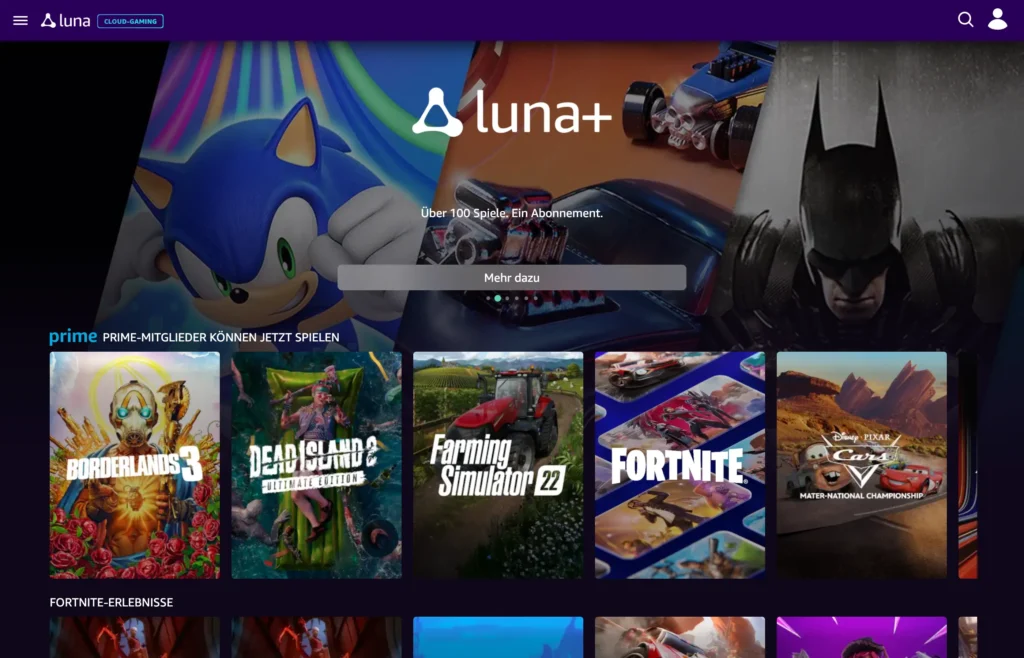
Amazon Luna has been reworked several times in recent years. In 2026 the service is mainly interesting because Luna Standard is included with Amazon Prime. If you already use Prime for shipping, Prime Video or other benefits, you get a cloud gaming catalog without an extra gaming subscription. Luna Premium costs €9.99 a month separately.
The Standard catalog is now much larger than the handful of Prime games it used to offer each month. As of Sep 2026, Amazon lists more than 80 games in Luna Standard, including bigger productions. At the same time, Luna remains a catalog service: if you want to bring your entire Steam library, GeForce NOW, Boosteroid or a cloud PC gives you more freedom.
A focus of Luna in 2026 is easy shared gaming. With Remote Play, Prime and Luna Premium members can invite friends or family to supported multiplayer sessions. Guests don’t need Prime or Luna Premium themselves; an Amazon account and a supported device are enough. Amazon lists more than 60 games that support these shared sessions.
Luna’s strength lies less in the maximum possible resolution and more in convenience. Fire TV, browsers, mobile devices and selected smart TVs make the service an easy way to start a game without downloading anything. For existing Prime members, the barrier to entry is particularly low.
- Model: game catalog subscription
- Price: Luna Standard included with Prime; Luna Premium €9.99/month
- Catalog: Luna Standard with more than 80 games as of Sep 2026
- Quality: up to 1080p/60 FPS
- Highlight: Remote Play for shared sessions with invited guests
PlayStation Plus Premium: Cloud streaming for PS5 and PlayStation Portal
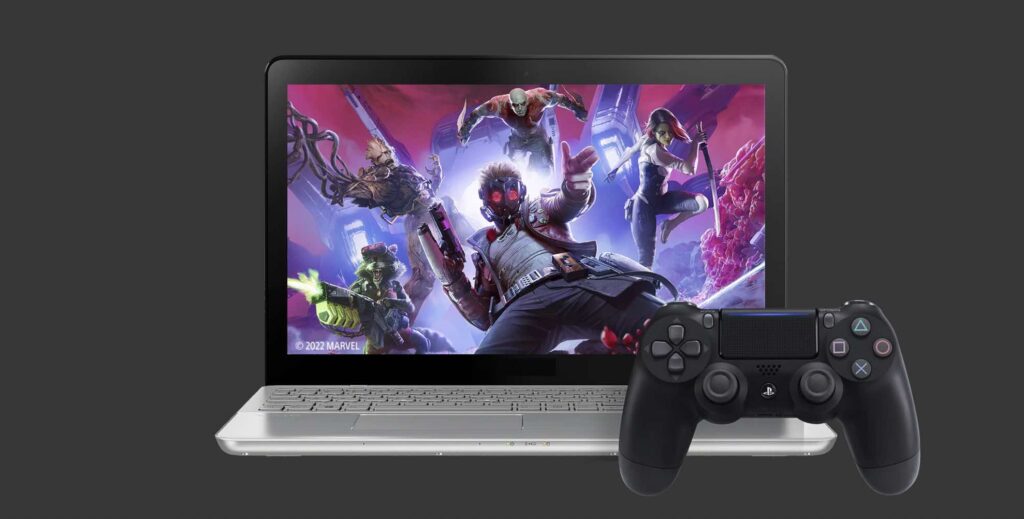
Sony takes a different approach with PlayStation Plus Premium than the PC-focused services. Cloud streaming is part of the PlayStation ecosystem. Premium members can stream hundreds of selected games from the game catalog and classics catalog, plus selected digitally purchased PS5 games.
The service has been strengthened especially by the cloud feature of the PlayStation Portal. Supported PS5 games can be launched there directly from the cloud, even when your own PS5 is switched off or being used by another account. Since a system update in March 2026, the Portal can use a 1080p High Quality mode with higher bitrate for cloud streaming.
On the PS5 itself, Sony supports cloud streaming at resolutions up to 2160p, depending on the game and connection. Sony’s official recommendations range from 13 Mbps for 720p, 23 Mbps for 1080p and 38 Mbps for 1440p to 52 Mbps for 4K. The Portal has its own requirements; Sony says at least 7 Mbps for 720p and 13 Mbps for 1080p.
The offering should not be confused with a universal cloud PC. The available titles depend on Sony’s approvals, your region and your device. For players who already use a PS5, a Portal or a large PlayStation library, however, Premium makes much more sense than for someone who only wants to stream their Steam games to a PC.
👉🏻 PlayStation Plus Premium: Compare Prices – compare gift cards and memberships.
- Price: Premium €16.99/month
- Games: Hundreds of compatible catalog titles plus selected purchased PS5 games
- PS5: Cloud streaming up to 4K, depending on the title
- PlayStation Portal: Cloud streaming without a home PS5 running, up to 1080p High Quality
- Germany: officially supported cloud streaming market
Shadow PC: A real Windows PC instead of a curated game catalog
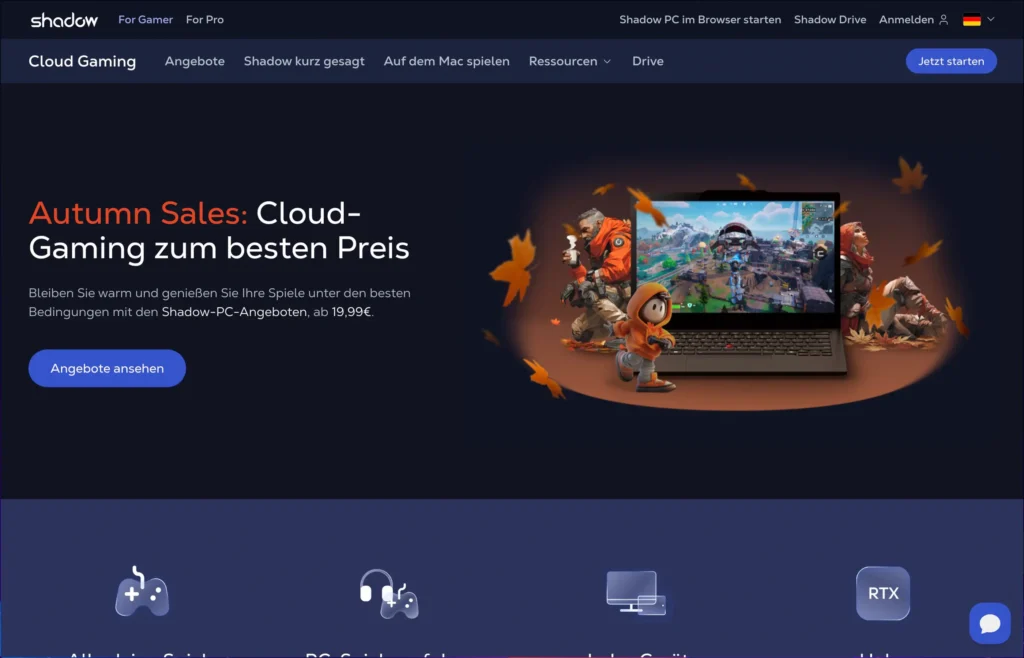
Shadow really belongs in a product class of its own. Instead of just launching a game from an approved catalog, you get a full Windows 11 PC in the cloud. Steam, Epic Games Store, Battle.net, mods and regular Windows applications can be installed yourself. That takes more work than clicking a GeForce NOW game, but it offers much more control.
In 2026, Shadow distinguishes between the hardware configurations Neo and Power as well as different service tiers. Neo Lite costs €25.99 a month in Germany, Power Lite €39.99. The regular versions cost €32.99 for Neo and €49.99 for Power. Lite and regular can use the same hardware; the differences are mainly playtime, session length, resolution, monitors and priority.
Neo uses an RTX-2000-Ada GPU with 16 GB VRAM, which Shadow classes as GeForce RTX 4060 class, plus eight AMD EPYC vCores, 16 GB RAM and SSD storage. Power uses, among other things, an RTX A4500 with 20 GB VRAM, 28 GB RAM and a more powerful CPU configuration. That makes Power more geared toward high resolutions and demanding workloads.
Shadow also has a fair use model in 2026. Lite includes 120 hours per month and sessions up to four hours. The standard Shadow PC tier offers 210 hours and sessions up to six hours. Pro also gets 210 hours and extends the service with features such as Always On. The monthly hours allowance counts the runtime of the cloud machine, not just the time a game is actively being rendered.
A full Windows PC does not automatically mean every multiplayer game works. Anti-cheat systems can block virtual machines. If you want to book Shadow specifically for a single competitive game, check that game’s current compatibility first.
- Model: full Windows 11 PC
- Prices: Neo Lite €25.99, Power Lite €39.99, Neo €32.99, Power €49.99 per month
- Playtime: Lite 120 hrs/month; regular 210 hrs/month
- Streaming: Lite up to 1440p/60; regular up to 5K/240, depending on tier
- Strength: own launchers, mods and other Windows software instead of a fixed game list
Blacknut: Cloud gaming with a family focus and more than 1,000 games
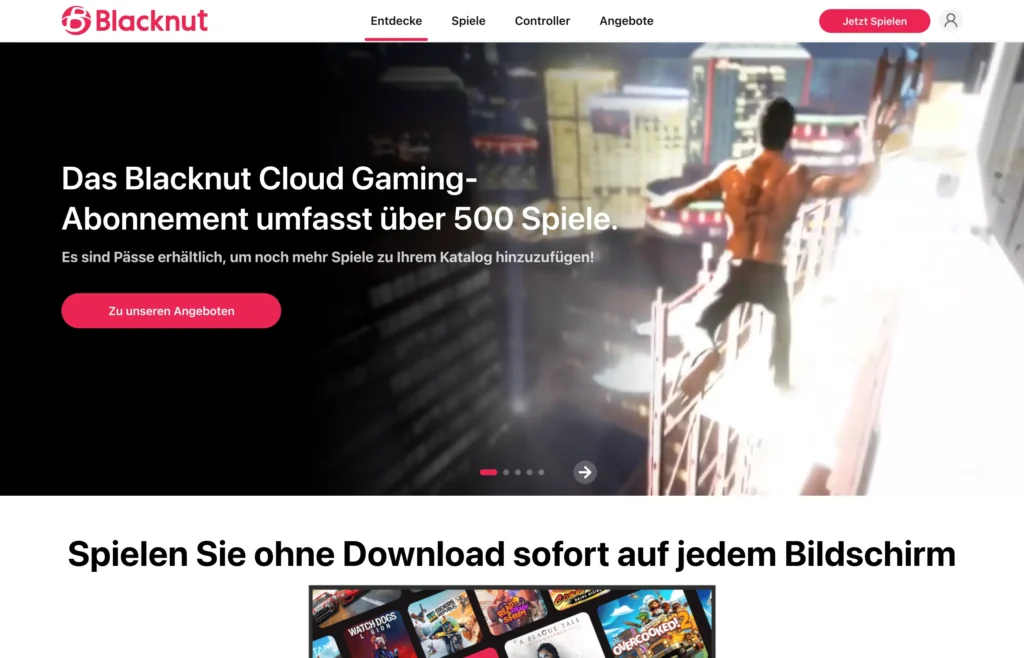
Blacknut doesn’t compete on the strongest virtual GPU. The service focuses on a large, straightforward game catalog for several people in the household. The official German site now lists more than 1,000 games and explicitly no playtime limit.
Up to five independent profiles can use their own save games, progress and optional parental controls. For local multiplayer and co-op gaming, up to four controllers can be connected. Especially on smart TVs, this is a different use case than a classic gaming PC in the cloud: open the app, select a profile, start a game.
Blacknut runs on numerous devices, including Windows, macOS, Android and Linux, as well as various smart TV and streaming platforms. Germany is one of the officially supported countries. The catalog now also includes larger publishers, but it remains a subscription catalog. Your full existing Steam library cannot simply be imported.
For families or households with several players, that can be an advantage: no individual purchases, no installs, no upkeep of a cloud PC. If you are specifically looking for current AAA releases or certain competitive titles, check the catalog before subscribing.
- Model: Game catalogue
- Library: more than 1,000 games
- Play time: no monthly limit
- Household: up to five profiles with their own save games and optional parental controls
- Multiplayer: up to four controllers for local multiplayer and co-op games
CloudDeck: Exciting new cloud PC with a Frankfurt location
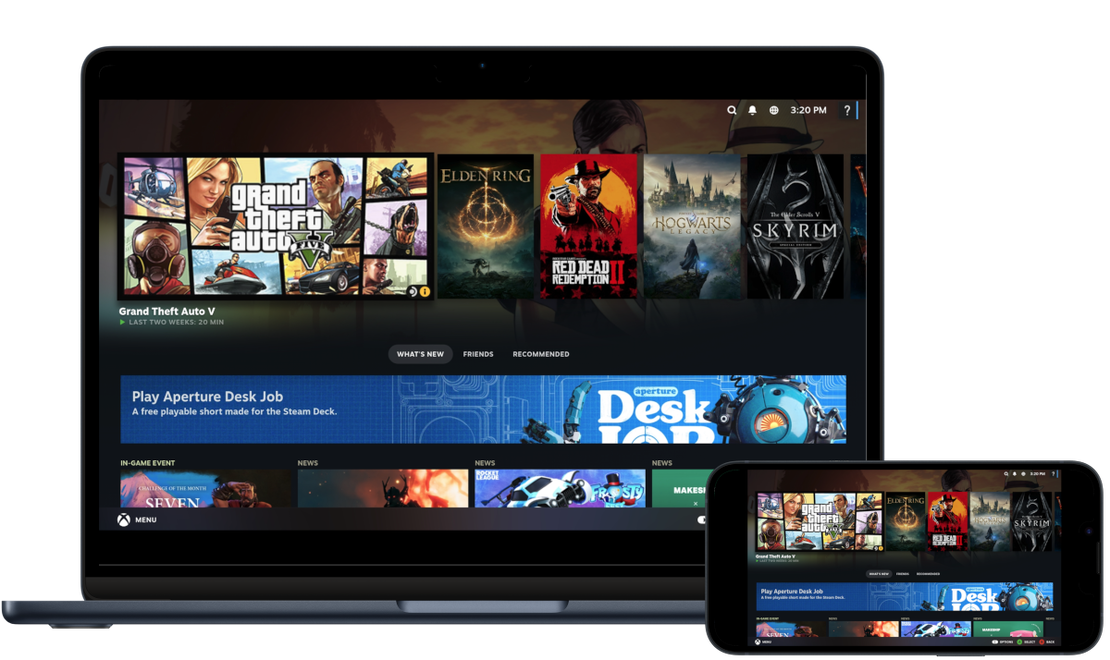
CloudDeck is one of the more interesting new options for users in Germany in 2026, because the service takes a different middle path between GeForce NOW and a classic Windows cloud PC. Instead of Windows, it runs a SteamOS-style Linux and Proton environment. The interface is meant to feel more like a console, but the system underneath stays open enough to install your own games, launchers and mods.
The provider cites more than 25,000 games that run on Linux or Proton. Games can be installed via Steam, Epic or GOG, among others. That is far more open than a fully curated catalogue, but Linux/Proton compatibility remains a clear difference from Shadow or airGPU. Some games do not run under Proton, and various anti-cheat systems block Linux or cloud machines.
The regular monthly price is €19.99. The advertised hardware includes four CPU cores, or eight threads, at up to 3.7 GHz, 16 GB RAM and an Nvidia RTX 3060, AMD Radeon RX 6600 or a comparable GPU. By default, 250 GB of SSD storage is included, which can be expanded to up to 1 TB. Streaming reaches up to 1440p at 60 FPS and a maximum of 40 Mbit/s.
For users in Germany, the infrastructure is the most interesting part. CloudDeck operates European locations in Frankfurt and Amsterdam. For latency, that often matters more than a spectacular GPU name. CloudDeck officially recommends at least 10 Mbit/s for 720p, 20 Mbit/s for 1080p and 30 Mbit/s for 1440p.
There is no monthly hour limit. A single session can run for up to six hours, after which a new session can be started. Streaming uses Moonlight. This makes CloudDeck especially suitable for players who want more freedom than with GeForce NOW, but do not need a full Windows desktop and its higher price.
- Price: €19.99/month; longer terms are offered at a lower price
- Hardware: RTX 3060 / RX 6600 or comparable, 16 GB RAM, 250 GB SSD
- Quality: up to 1440p/60 FPS
- Games: 25,000+ Linux/Proton-compatible titles per provider
- Time: no monthly limit, single sessions up to six hours
- Locations: including Frankfurt and Amsterdam
airGPU: Cloud PC billed by the hour instead of a monthly subscription
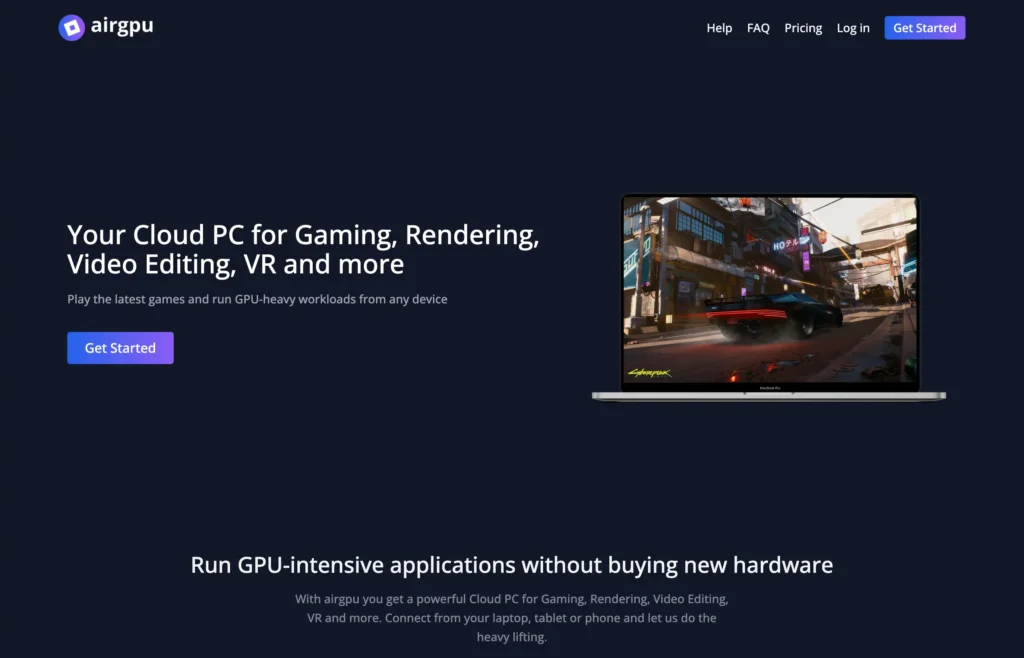
airGPU is aimed at users who need a full GPU PC in the cloud but do not necessarily want to pay a fixed amount every month. The virtual machine is billed based on usage time. Games, launchers and other GPU-intensive applications can be installed yourself; Parsec or Moonlight clients are used for the actual streaming.
The lowest publicly advertised configurations start at US$0.65 per hour. Depending on the region, more powerful GPU versions are available at higher hourly rates. Persistent SSD storage costs an additional US$3.50 per month per 50 GB and starts at 100 GB. Prices exclude VAT.
For Germany, it is important that airGPU lists Frankfurt as its European location. Other European data centres are located in Amsterdam, Dublin, London and Stockholm, among others. This lets a user choose the geographically closest location, which is often more decisive for latency than the nominal bandwidth.
The pay-per-use model can be very worthwhile for occasional use. 10 hours at $0.65 cost only $6.50 in compute time. If you play 80 or 100 hours a month, however, you quickly reach costs where a monthly subscription becomes more attractive. Storage is added on top, regardless of how much you actually play.
The same applies here: a Windows PC in the cloud does not automatically guarantee compatibility with every multiplayer game. airGPU itself points out that some anti-cheat systems block cloud PCs.
- Model: Windows cloud PC by the hour
- Price: from US$0.65/hour plus storage and VAT
- Storage: US$3.50/month per 50 GB, minimum 100 GB
- Locations: including Frankfurt, Amsterdam, Dublin, London and Stockholm
- Streaming: typically via Parsec or Moonlight, up to 4K depending on VM and client
Antstream Arcade: The cloud gaming niche for retro games

Antstream Arcade fits technically into the same broad category, but pursues a completely different goal from GeForce NOW or Shadow. The service streams more than 1,300 officially licensed retro games and focuses on classic systems and arcade titles. If you are looking for current AAA games, this is the wrong place. If you want to play old games without emulator setup, ROM management or a local install, you get an unusually large specialist catalogue.
The offer includes challenges, leaderboards and tournament features alongside the games. Antstream is available in Europe and supports a wide range of devices, including PC, Mac, Linux, Android, iPhone and iPad, browsers, Xbox, PlayStation, Fire TV and selected smart TVs. Prices vary by platform and sales channel; the provider advertises memberships from a few dollars per month.
The technical debate about 4K, ray tracing or RTX hardware is barely relevant to Antstream. Its strength is the licensed retro catalogue. That makes the service no alternative to a high-end gaming PC, but a cloud gaming category of its own.
- Focus: Retro and arcade games
- Catalog: more than 1,300 licensed titles
- Devices: PC, Mac, Linux, Android, iOS, browser, Xbox, PlayStation, Fire TV and more
- Extras: challenges, leaderboards and tournaments
Playtime limits matter more than resolution in 2026
For years, almost every discussion about cloud gaming revolved around 1080p, 4K, bitrate and input lag. In 2026, another plan metric is at least as important: How many hours can you actually play for the subscription price?
GeForce NOW gives Performance and Ultimate members 100 premium hours per month. Shadow sets 120 hours for Lite and 210 hours for its standard tier. From November 2026, Xbox goes much further and includes only 5, 10 or 15 hours depending on the Game Pass plan. Boosteroid and CloudDeck, by contrast, explicitly offer no monthly hour limit.
This means the monthly price alone is no longer a sufficient comparison. A service at €10 or €15 can cost a heavy player more than a subscription with a higher base price once extra hours have to be bought. Conversely, an unlimited flat rate is of little use if the user only plays twice a month.
| Service | Playtime included | Practical classification |
|---|---|---|
| GeForce NOW Performance / Ultimate | 100 premium hours/month, up to 15 hrs carry-over | enough for around three hours a day; heavy players may reach the limit |
| Boosteroid | no monthly limit | especially interesting for very intensive use |
| Xbox Game Pass from Nov. 2026 | 5 / 10 / 15 hrs per plan | more of an extra feature than a cloud-only replacement, unless extra hours are bought |
| Shadow PC Lite | 120 hrs/month | about four hours a day on a monthly average |
| Shadow PC | 210 hrs/month | built for regular, intensive use |
| CloudDeck | no monthly limit; sessions up to 6 hrs | no monthly hourly billing |
| airGPU | Pay-per-use | you pay for every hour, so there is no unused time bought in a bulk package |
How fast does your internet connection need to be for cloud gaming?
The old rule of thumb “more Mbit/s is always better” falls short. Bandwidth determines how much picture information can be transmitted. For the feel of gaming, latency, jitter and packet loss are at least as important.
Nvidia currently recommends around 15 Mbit/s for 720p/60, 25 Mbit/s for 1080p/60, 35 Mbit/s for QHD/120, 45 Mbit/s for 4K/120 and 65 Mbit/s for 5K/120. GeForce NOW also requires less than 80 milliseconds of latency to the data center and recommends less than 40 milliseconds for the best experience.
Boosteroid needs much more bandwidth for its highest H.264 tier: according to the provider, 4K/120 starts at 80 Mbit/s, and more than 100 Mbit/s is recommended. CloudDeck recommends 10 Mbit/s for 720p, 20 Mbit/s for 1080p and 30 Mbit/s for 1440p. PlayStation recommends 13 to 52 Mbit/s on PS5, depending on the resolution.
This does not mean that a gigabit line automatically plays better than a clean 50 Mbit connection. A stable Ethernet connection with 25 milliseconds to the data center can feel significantly better than fast Wi-Fi that regularly produces short packet loss or has a heavily fluctuating ping.
This matters especially for fast shooters, racing games and fighting games. Strategy, role-playing and adventure games are more forgiving of extra milliseconds. If you have the choice, connect the streaming client via Ethernet or use at least a stable 5 GHz or 6 GHz Wi-Fi connection.
Cloud gaming on iPhone, iPad, smart TV and handheld
A blanket statement that cloud gaming simply works poorly on iOS is no longer accurate in 2026. Providers use different approaches: browser, web app, native app or specially supported devices. What matters is therefore not the operating system alone, but the specific service.
Xbox and GeForce NOW support numerous browsers and mobile devices. Luna is strongly integrated with Fire TV and Amazon’s device ecosystem, but also works beyond it. Blacknut covers a particularly large number of smart TV platforms. Shadow streams the entire Windows PC to a wide range of clients. CloudDeck uses Moonlight and supports Windows, macOS, Linux, Android and ChromeOS; on Apple devices, actual use depends on the streaming client available.
Gaming handhelds also benefit greatly from cloud gaming. The device itself does not need to provide the graphics performance or the storage space for a 100 GB game locally. The downside is the dependence on a good connection. On a train, in a hotel or on public Wi-Fi, a generally fast line can still have high latency or packet loss.
Which cloud gaming service suits which user?
For a large Steam or Epic library
GeForce NOW and Boosteroid should be the first stops. GeForce NOW offers extremely high streaming quality and a very large supported library. Boosteroid, on the other hand, stands out especially with unlimited monthly playtime. What matters is whether your most important games are actually supported.
For Game Pass players
Xbox Cloud Gaming is neatly integrated into the existing Microsoft ecosystem. Until November 2026, eligible subscribers can still use the cloud without a monthly hour limit. After that, the cloud gaming allowance of 5 to 15 hours should be treated as an extra feature, unless Microsoft changes the announced terms.
For Prime members
Luna Standard is particularly interesting if you already pay for Prime. More than 80 games without any additional gaming subscription make the service a very easy way to get started. If you want to stream your own PC games specifically, other providers give you more control.
For PlayStation players
PlayStation Plus Premium mainly makes sense within the PlayStation ecosystem. On PS5 and PlayStation Portal, cloud streaming can replace downloads and make selected PS5 games you own accessible. For PC-only players, the offer is less universal.
For mods and a full desktop
Shadow PC offers a real Windows desktop and is therefore much more flexible than a curated game streaming service. airGPU follows a similar principle of freedom, but bills by the hour. If you do not necessarily need Windows and mainly play Steam/Proton games, CloudDeck offers a cheaper alternative that is more focused on gaming.
For families
Blacknut, with five profiles, parental controls, broad TV support and more than 1,000 games, is clearly aimed at households. The service does not replace a high-end PC library, but it makes playing together especially easy.
For retro fans
Antstream Arcade is practically alone in its niche. Instead of simulating current PC hardware, the service offers a large licensed retro catalogue along with challenges and tournament features.
Other cloud PC options and DIY solutions
Parsec + Paperspace: More of a DIY stack than a dedicated cloud gaming service
Parsec and Paperspace appeared together in cloud gaming comparisons for a long time. In 2026, however, listing them as standalone consumer services is misleading. Parsec is primarily streaming software, while Paperspace provides virtual GPU machines. Combining both lets you build your own cloud PC.
This can still make sense if you deliberately need a specific GPU VM, want to administer it yourself, and perhaps also use the machine for rendering, development or other tasks. However, it is not the same product category as GeForce NOW, Xbox Cloud Gaming or Luna. Setup, Windows, storage, game installations and cost control are mostly down to the user.
For an easy start in gaming, Shadow, CloudDeck or airGPU are more transparently positioned today. If you already know Parsec and specifically want to run a Paperspace instance, you can still use the combination as a DIY solution.
LoudPlay: Still known as a cloud PC option, but harder to compare properly
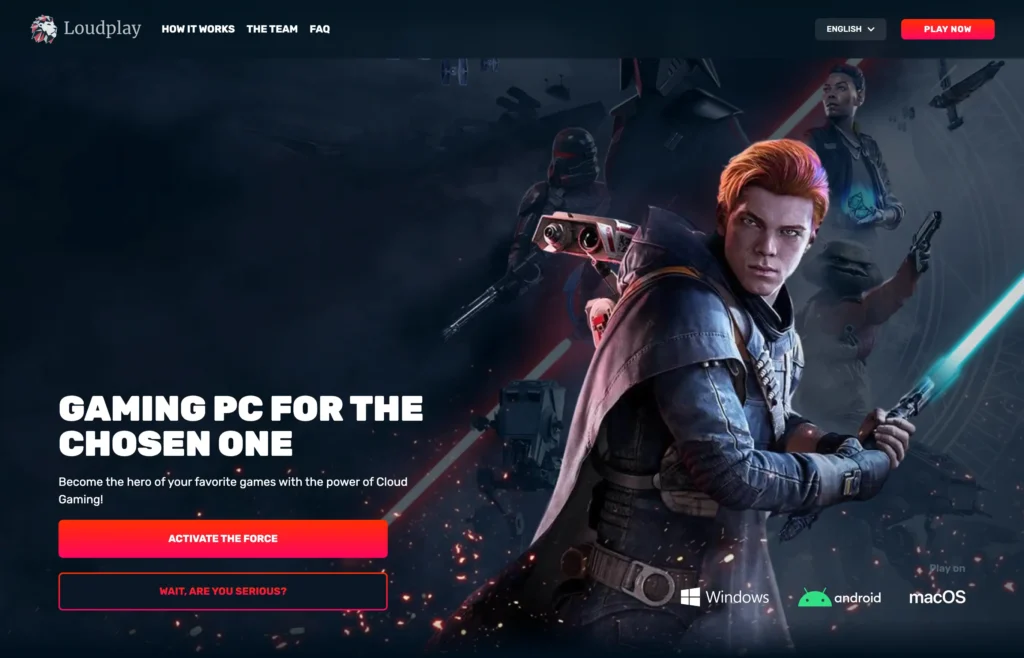
LoudPlay is one of the older names in the cloud PC market and is based on a virtual machine on which users install their own games. However, for a German comparison in 2026, the service is harder to assess reliably than the offers mentioned above. Current prices clearly stated for specific regions, hardware generations and server conditions are not documented as transparently as for Shadow, CloudDeck or airGPU.
That is why we no longer list LoudPlay as one of the ten main hosts. If you are seriously considering the service, check the server region offered for your location, current hardware, hourly billing and refund terms directly in the customer area before buying.
Cloud gaming services that have been discontinued
The market also shows how quickly even big names can disappear. With catalogue services, it is therefore important to distinguish whether games are only available through a subscription or were bought separately. The following offers are no longer available as regular cloud gaming services.
Google Stadia
Google Stadia launched in 2019 with the idea of streaming games directly from Google’s data centres to practically any device. Technically, Stadia was partly impressive, but the business model did not win over enough users and publishers. Google shut down the service in January 2023 and refunded many purchases made directly through Stadia. Stadia remains an important example that good streaming technology alone does not guarantee a sustainable games market.
Magenta Gaming
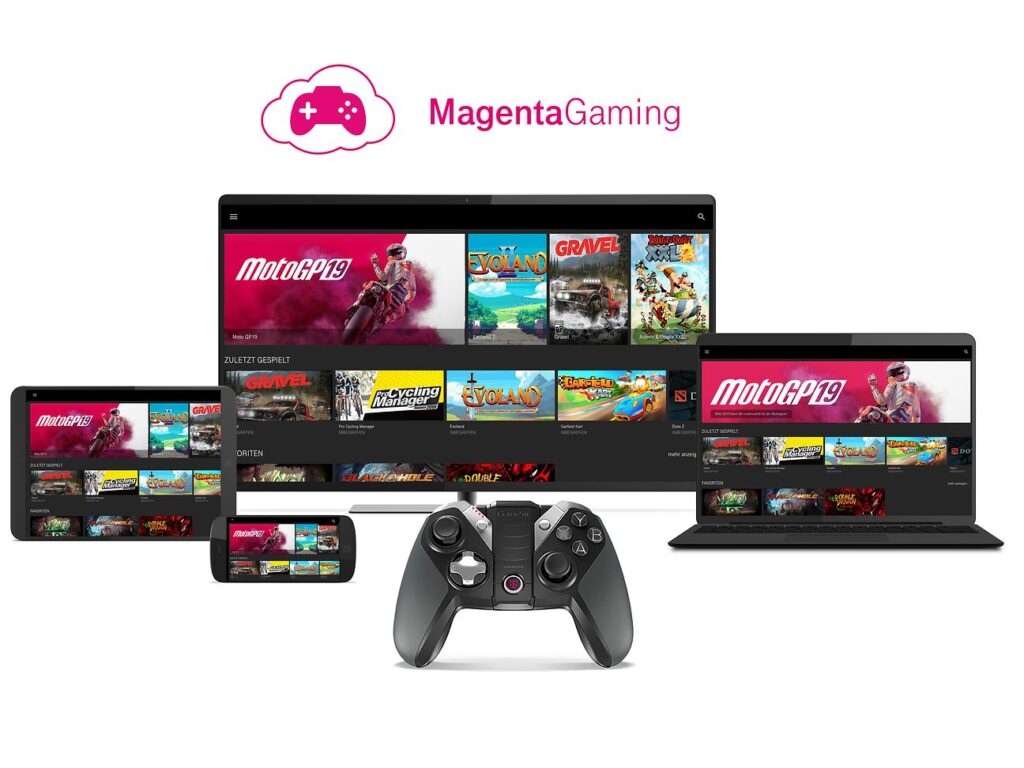
Deutsche Telekom also ran its own cloud gaming service, Magenta Gaming. The offer combined an included game catalogue with streaming to various devices, but it was discontinued. For today’s users, the service no longer plays any role.
Vortex, LiquidSky and Medion Erazer Cloud Gaming
Vortex and LiquidSky were among the earlier cloud gaming providers or cloud PC concepts, but are no longer available as regular consumer offers. The same applies to Medion Erazer Cloud Gaming. Older price or hardware information on these services is now only of historical relevance and should not be interpreted as purchase options.
Cloud Gaming 2026: What has really changed?
The biggest change is not that streaming can now do 4K or high frame rates. That was already technically possible before. More important is that the market is splitting into clearer product categories.
GeForce NOW and Boosteroid try to replace the powerful gaming PC without selling the game library themselves. Xbox, Luna, PlayStation, Blacknut and Antstream tie streaming more closely to their own subscription catalog. Shadow, CloudDeck and airGPU, on the other hand, give users more control over the actual computer again.
At the same time, cost models are becoming more complex. The cloud is expensive for providers when users consume many hours of GPU time every day. That is exactly why hourly quotas are reappearing in 2026. Nvidia limits premium time, Shadow sets fair-use limits, and Microsoft is going particularly far from November with very small Game Pass quotas. Boosteroid is explicitly using the opportunity as a counterpoint and still promises unlimited monthly playtime.
For users, this means: The best cloud gaming service is the one whose library, time model and server location fit your own habits. Resolution and GPU names are only part of the equation.
Frequently asked questions about cloud gaming
Can cloud gaming completely replace a gaming PC?
For many users, yes, but not in every case. GeForce NOW and Boosteroid can largely replace a local gaming PC for supported games. Shadow and airGPU come closer to a full replacement computer because they provide a real Windows PC. CloudDeck offers a more open Linux/Proton environment. Anti-cheat, mods, specialist hardware and unsupported games can still set limits.
Which service offers the highest streaming quality?
GeForce NOW Ultimate is technically at the top in 2026 and, with RTX 5080 servers, supports up to 5K/120 FPS depending on the mode, as well as very high frame rates at lower resolutions. Boosteroid reaches up to 4K/120 FPS. Shadow can also deliver very high resolutions and frame rates depending on the service and hardware. The quality that actually arrives always also depends on the game, device, display, codec, distance to the server and connection.
Is there cloud gaming without a monthly hour limit?
Yes. Boosteroid explicitly confirms unlimited monthly playtime. CloudDeck also has no monthly limit, but caps individual sessions at up to six hours. Blacknut also states no playtime limit. GeForce NOW and Shadow, by contrast, work with monthly quotas. Xbox is introducing hour limits from November 2026.
Do I still have to buy the games for cloud gaming?
It depends on the model. GeForce NOW and Boosteroid mostly use licences you already own on PC stores. Xbox, Luna, PlayStation Plus, Blacknut and Antstream include game catalogues in the subscription. Shadow, CloudDeck and airGPU provide a cloud PC or a dedicated gaming environment; game licences generally need to be owned separately there.
Is 50 Mbit/s enough for cloud gaming?
For most 1080p streams, yes, and with several providers also for higher quality levels. Nvidia, for example, requires 25 Mbit/s for 1080p/60 and 45 Mbit/s for 4K/120. A stable connection and low latency matter more than the highest possible theoretical peak bandwidth.
Is Wi-Fi good enough for cloud gaming?
A good 5 GHz or 6 GHz Wi-Fi connection can work very well. However, Ethernet remains the most reliable option, because it is less prone to radio interference, packet loss and sudden latency swings. Especially for shooters and fighting games, this can make a noticeable difference.
Can I use mods?
On classic streaming catalogues, only to a limited extent or not at all. Shadow, CloudDeck and airGPU give much more access to the underlying system and are therefore better suited to mods. Whether a specific mod works still depends on the operating system, game, launcher and anti-cheat.
Can I use cloud gaming on my smartphone?
Many services support smartphones via apps, browsers or web apps. The exact setup varies by provider and operating system. For games not designed for touch controls, a Bluetooth or USB controller is usually the much better option.
Is cloud gaming cheaper than a console or PC?
In the short term, getting started can be much cheaper, because you don’t need to buy powerful local hardware. In the long term, the math depends on the monthly price, extra hours, your own game library and how long you use it. If you pay for an expensive cloud PC subscription every month for years, it can eventually approach the cost of your own hardware. If you only play occasionally or want to avoid buying hardware, cloud gaming can be very efficient.
Sources and updates
For this update, the providers’ official plan, support and product pages were the main sources. Prices and technical limits can change at short notice. The details shown by each provider at checkout always apply.
- Nvidia GeForce NOW and GeForce NOW FAQ
- Boosteroid: price structure from Sep 15, 2026
- Xbox: announced cloud gaming changes from November 2026
- Amazon Luna: September 2026
- PlayStation: PS5 cloud streaming
- Shadow PC: current plans and limits
- Blacknut Germany
- CloudDeck
- airGPU
- Antstream Arcade
Frequently asked questions (FAQ)
What is cloud gaming?
With cloud gaming, the processing of games is, so to speak, moved into the cloud. This means demanding games are not calculated on your own PC but on a server. To play, a video stream is sent to your computer. You control the action through input on your own device. Mouse and keyboard as well as an external gamepad are supported.
How does cloud gaming work?
With cloud gaming, the game runs on a server and the image is streamed to the client. The user therefore only receives a video on their PC, which the hardware has to process. At the same time, their inputs are sent to the server so it can run the game. The concept is comparable to remote desktop, which also lets you connect to a computer remotely and control it from anywhere. Until now, however, the connection quality was not good enough for smooth gaming.
In recent years, internet connections have become faster and routers more powerful. At first, the concept took hold within the home. For example, you could stream games from one computer to another with Steam. This only required a stable network connection within your own home. Cloud gaming extended this idea to the internet, so you no longer need expensive hardware in the form of a PC or console.
What internet speed / bandwidth do I need?
A good internet connection is of course a basic requirement for a smooth gaming experience. With a slow DSL connection, you should not be tempted to try one of the services. For this reason, cloud gaming is currently reserved for users in regions where broadband has been expanded.
In numbers, you need at least a constant 15 Mbit/s to use services like Shadow smoothly. This also depends on the resolution. If you play in Full HD, you need less bandwidth than if you play in Ultra HD / 4K.
For testing, you can also use video on demand offers as a guide. If a 4K stream from Netflix runs smoothly, you should be able to run cloud gaming at least in Full HD.
Latency to the server is even more important than raw bandwidth. It depends on the distance to the data center, on your internet connection and on the router in your home. If you use an old router that only supports a slow WLAN standard, you will not get a smooth experience.
Is there a problem with "input lag"?
Basically, it is technically unavoidable that playing via a cloud server adds some extra latency. This is as high as the ping of your own internet connection plus the connection to the server. With a conventional internet connection and a wired Ethernet connection, this adds roughly 20 to 30 ms. Thanks to the fast connection of the servers, you do get a lower ping to the game servers. This advantage partly compensates for the higher latency.
Of course, a poor internet connection or an old WLAN router will result in worse latency on your own connection. Here you should make sure to use a fast router and a cable connection to your PC. For WLAN, you should have at least the AC standard and 5 GHz available. In addition, the WLAN connection should be strong and stable.
But does the higher latency really affect the gaming experience? The average user will hardly notice a difference with the additional 30 ms. In slower games like simulators or city builders, you probably will not notice any negative effect at all. In fast shooters, experienced players might notice that it feels somewhat sluggish compared to a gaming monitor with minimal response time.
This concept is certainly not aimed at esports players, but rather at casual gamers who play a graphically demanding game from time to time.
Who is cloud gaming suited for?
Cloud gaming is still relatively new, but there is an audience for whom it is genuinely interesting. Due to technical limitations and the price with intensive use, it is certainly not for enthusiasts who want to get the most out of their hardware. However, these users usually already own a high-end gaming PC and do not need this service.
The offer is aimed much more at occasional players who do not have a powerful gaming PC at home. Dedicated console players could also add a flexible cloud gaming service if they occasionally want to play a PC game that is not available on their console.
